1
Connect Outlook Calendar
Open ScreenaAI Console, connect Microsoft 365 or Outlook Calendar from Apps & Integrations, and choose the calendar or room schedule.
2
Choose the screen view
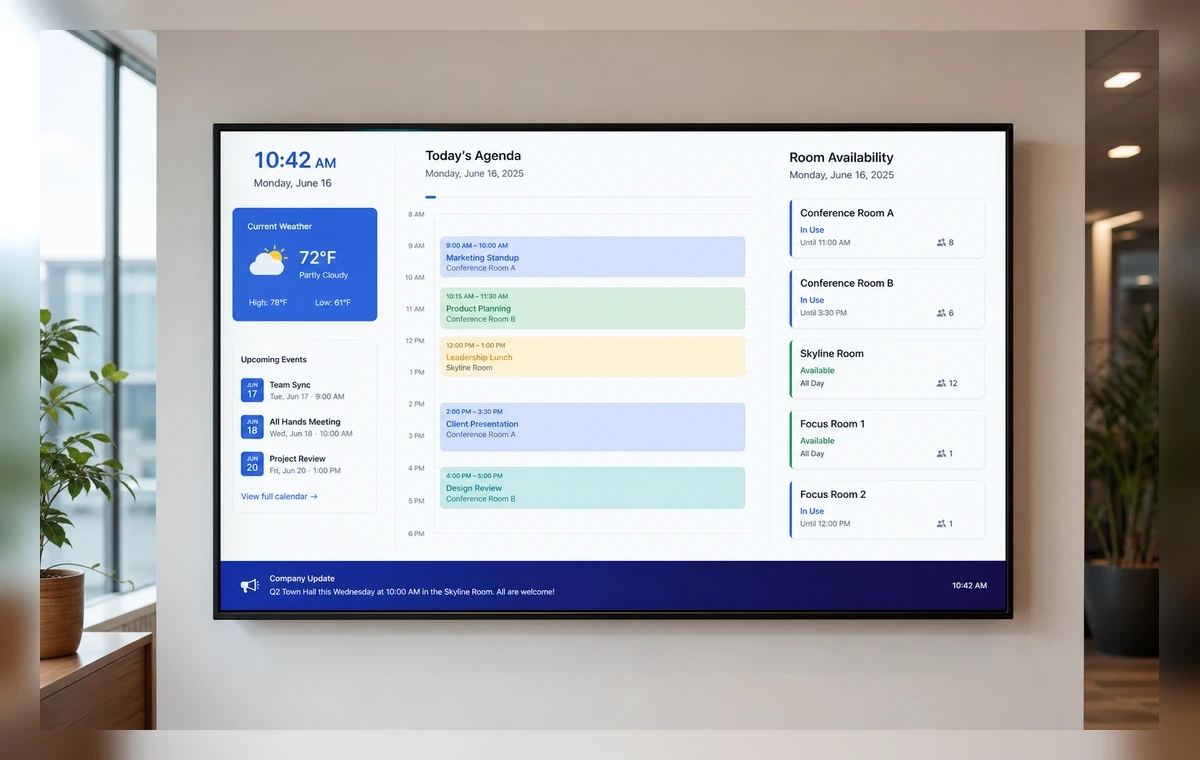
Create a TV-ready slide using a daily agenda, room booking list, event schedule, or next-meeting view.
3
Publish to TV
Assign the slide to a paired reception, meeting room, school, office, or event screen and publish.
Best way to display Outlook calendar on TV
To display Outlook calendar feeds on TV with ScreenaAI, connect Microsoft 365 or Outlook Calendar, choose the calendar or room schedule, review the TV layout, assign it to a paired screen, and publish. Keep the view simple so visitors and staff can read the next event at a glance.
Why teams put Outlook calendar feeds on TV
Outlook Calendar is most useful on shared screens when the information helps people act without opening another tab. ScreenaAI turns Microsoft 365 calendar schedule into a screen-ready view for reception areas, meeting rooms, offices, schools, event spaces.
What to show on the screen
- Room bookings
- Daily agenda
- Upcoming meetings
- Office events
- Class or appointment schedules
AI setup versus manual setup
The AI method is best when you know the outcome, for example, "show our Outlook Calendar dashboard on the sales floor TV." ScreenaAI helps prepare the workflow for review. Manual setup is best when you want to choose the exact Outlook Calendar content, layout, playlist, and screen yourself.
TV readability checklist
- Use large KPI cards, short labels, and high-contrast charts.
- Avoid dense tables and tiny filters unless the screen is close to viewers.
- Review the slide before publishing so the Outlook Calendar screen is understandable from the room.
- Keep shared-screen content appropriate for the audience and location.
Quick answer
If someone asks how to display Outlook calendar on TV, the shortest answer is: connect Outlook Calendar in ScreenaAI, choose the Microsoft 365 calendar schedule, review the TV layout, assign it to a paired screen, and publish.
How do I display Outlook Calendar on TV?
Connect Microsoft 365 or Outlook Calendar in ScreenaAI, choose the schedule, create a TV-ready slide, assign it to a paired screen, and publish.
Can I show Outlook room schedules on screens?
Yes. ScreenaAI helps turn Outlook calendars and room schedules into shared displays for offices, reception areas, and meeting rooms.
What Outlook calendar view works best on TV?
A daily agenda, next-meeting view, room booking list, or event schedule usually works best on a shared screen.
Can AI create an Outlook calendar display?
Yes. Describe the Outlook calendar screen you want, then review the AI-prepared layout before publishing.